Talexa vs EverWebinar: Feature Comparison
| Feature | Talexa | EverWebinar |
|---|---|---|
| Monthly Pricing | $79/mo — flexible monthly | Annual commitment required |
| Free Trial | –30 days — no credit card required | –Yes — trial available |
| Contextual AI Chat Simulation | Auto-generated from video content | Granular manual scripting control |
| Automated AI Polls & Interactions | AI-triggered by presenter content | Manual timing and copy setup |
| In-Depth Drop-off Analytics | Native per-moment curve + funnel | Standard session reporting |
| Live Webinar Recording Capability | No — upload existing videos only | Yes — full live capture supported |
| Third-Party CRM & Email Integrations | No — standalone dashboard, manual export | Yes — native integrations + Zapier |
| Dedicated Support | –Included on all plans | –Varies by plan tier |
Comparison based on platform features evaluated in 2026.
How does Talexa's contextual AI chat engine differ from manual chat scripting?
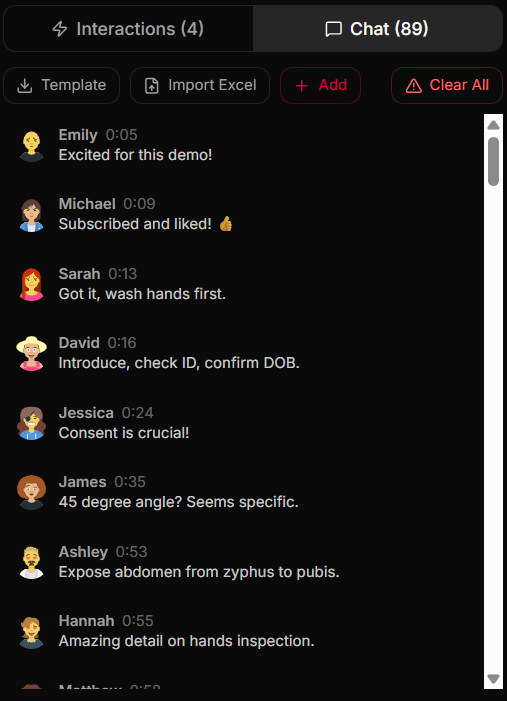
The two platforms take opposite approaches here. Talexa's AI reads your webinar video content and automatically produces contextual audience messages — with names, avatars, and timestamps — that correspond to what the presenter is discussing at each moment. Setup time is near zero.
EverWebinar, by contrast, gives you granular manual control: you write every chat message yourself and set its exact timestamp. For teams with a dedicated content or marketing operations person who wants to script every second of the viewer experience, that level of precision is a genuine advantage.
If you are a solo creator or small team without the bandwidth to hand-craft chat scripts, Talexa's AI approach produces a realistic, contextually relevant chat feed without the time investment.
How do automated AI polls and on-screen interactions lift conversions by 25%+?
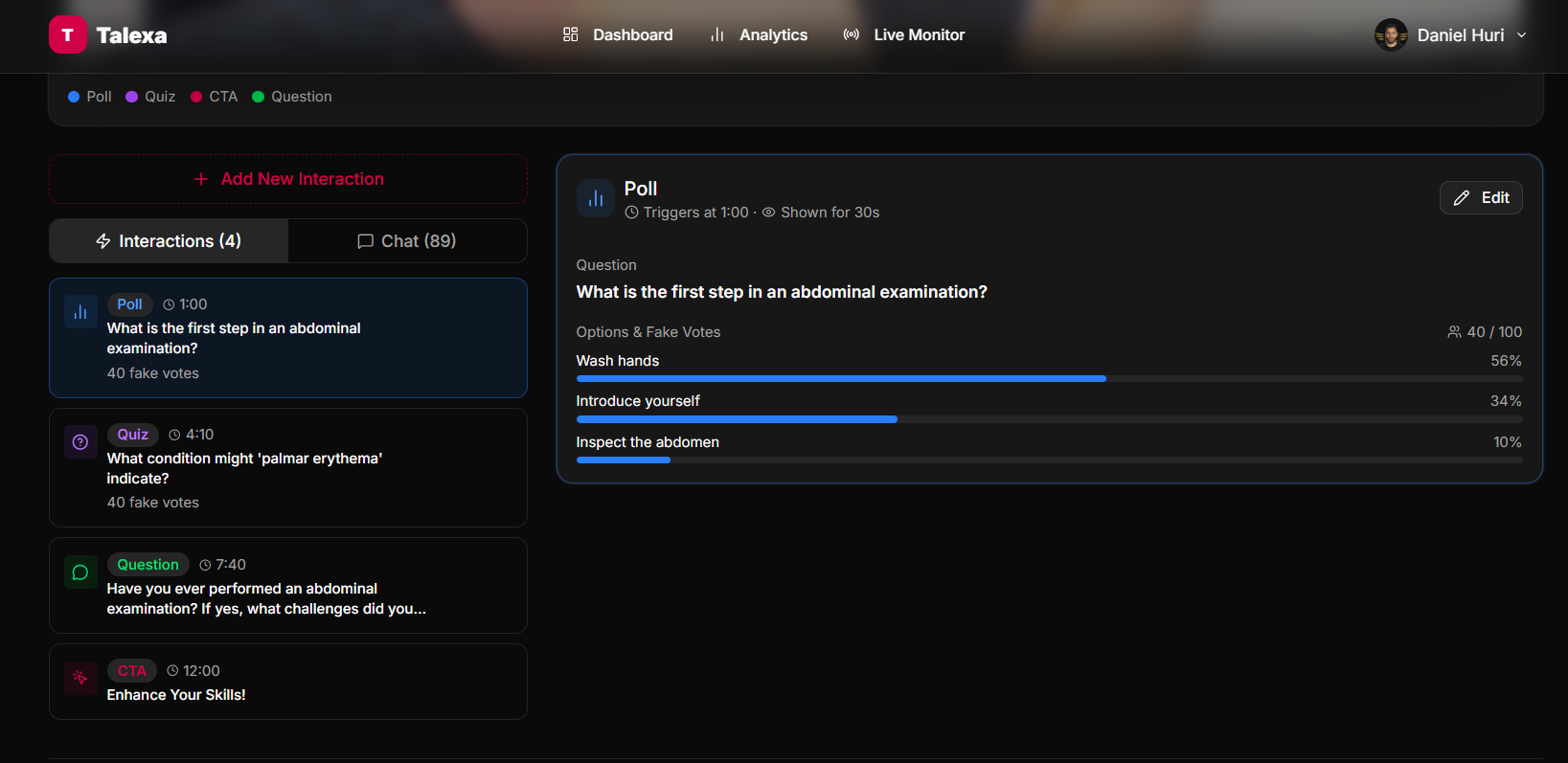
Talexa analyses your video content and automatically schedules on-screen interactions — polls, quizzes, questions, and CTAs — at contextually relevant moments in the presentation. The AI handles placement timing and copy generation, which is particularly valuable when you want to ship quickly without a dedicated setup process.
EverWebinar allows you to configure each interaction element manually, specifying exactly when it appears and what it says. Teams that have already optimised these timings through A/B testing may prefer that degree of hands-on control over their interaction sequence.
For most course creators and coaches starting out or iterating quickly, the AI-automated approach removes a significant setup burden and has been observed to lift conversions by 25%+ compared to no interactions at all.
How does Talexa's post-webinar drop-off analytics help you optimise?
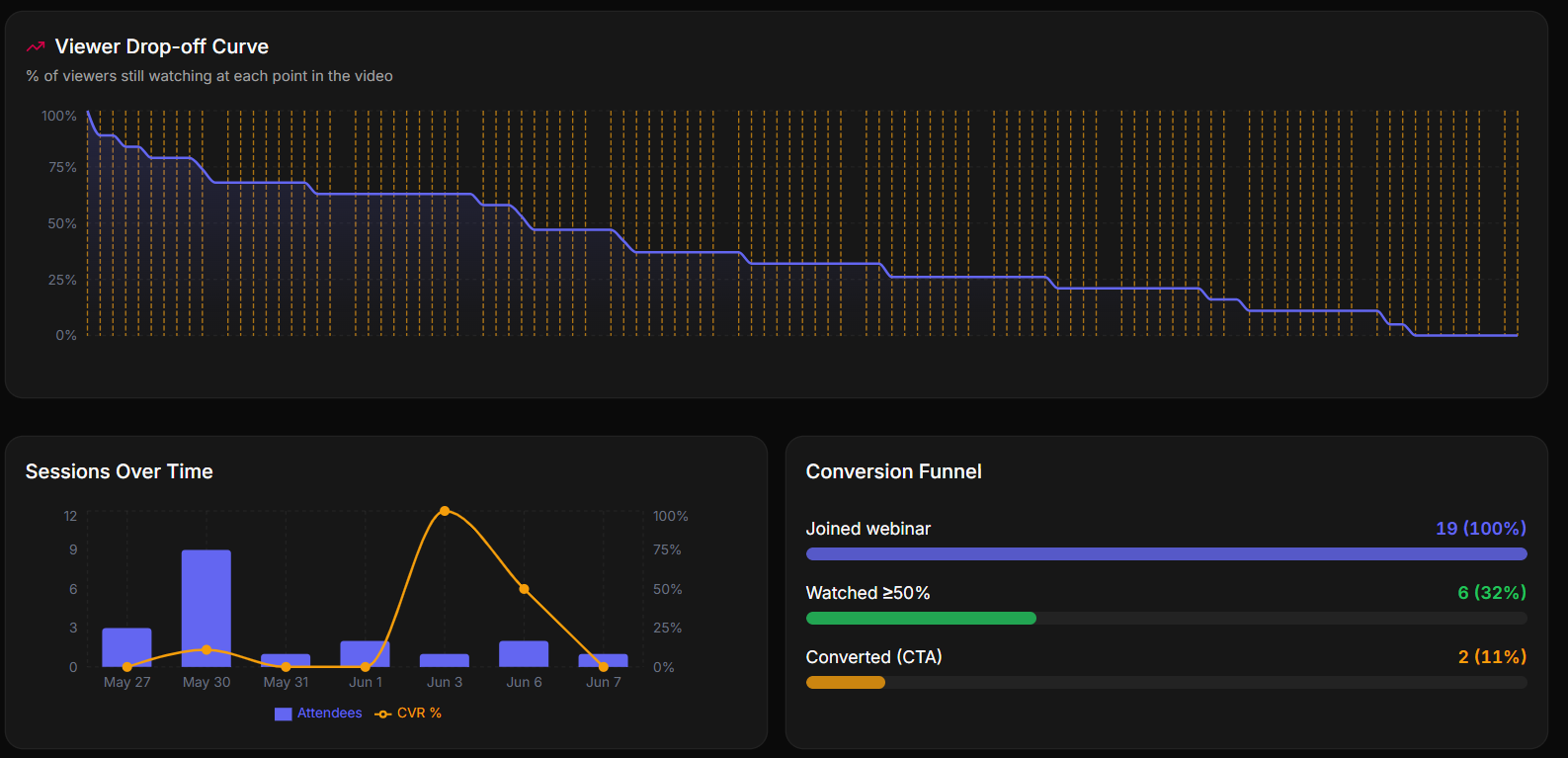
Talexa shows you exactly where viewers leave. Native drop-off tracking plots the percentage of viewers still watching at every point in the video, alongside sessions over time and a full conversion funnel — from joined, to watched 50%+, to converted on your CTA.
With this data you can pinpoint the moments that lose attention, move your CTA to the highest-retention window, and steadily compound your conversion rate — insight that bloated legacy reporting rarely surfaces clearly.
Stand-alone simplicity vs. deep integration: which model fits your workflow?
EverWebinar supports native integrations with major CRM and email platforms — including HubSpot, ActiveCampaign, and Zapier — which means leads and attendee data can flow directly into your existing marketing stack without a manual export step. If your business already runs on an enterprise CRM and you need bidirectional data sync, that depth of integration is a meaningful advantage.
Talexa takes a different position: it is a focused, stand-alone platform. Leads are captured natively in your dashboard and can be exported on demand. There are no API configurations to manage, which means faster setup and fewer points of failure — a worthwhile trade-off for creators who want to launch quickly and handle lead routing outside the webinar tool itself.
Fast to launch
No integrations to configure — paste a video and go live in under 15 minutes.
Pre-recorded only
Built exclusively for upload-and-automate workflows, not live capture.
Native lead capture
Leads stored in your dashboard, exportable at any time.
When to choose EverWebinar — and when to choose Talexa
Choose EverWebinar if…
- You need to record live sessions directly within the platform and archive them automatically.
- Your sales or marketing team requires direct, automated data routing into enterprise CRMs like HubSpot or Salesforce via native integrations.
- You have dedicated ops bandwidth to hand-craft and fine-tune every chat message, poll timing, and interaction sequence.
- Your organisation has already standardised on the WebinarJam / EverWebinar ecosystem.
Choose Talexa if…
- You already have your webinar recorded and want to launch a realistic automated room in under 15 minutes without a manual setup process.
- You want AI to handle chat simulation and interaction timing on your behalf, rather than scripting everything from scratch.
- You prefer a flexible month-to-month subscription — with a 30-day free trial — over committing to a large upfront annual fee.
- You operate as a solo creator or small team and want a focused tool that does one job well: converting pre-recorded video into leads.